
Connect Claude
Add the Lectrium MCP to Claude as a custom connector in about two minutes.
This guide adds Lectrium to Claude as a custom connector. Once connected, you can ask Claude about your dealership's inventory, leads, and EV data in plain English.
Before you start
You'll need a Lectrium account. If you don't have one yet, you can create it during Step 4 below, or request access from the Lectrium team.
Steps

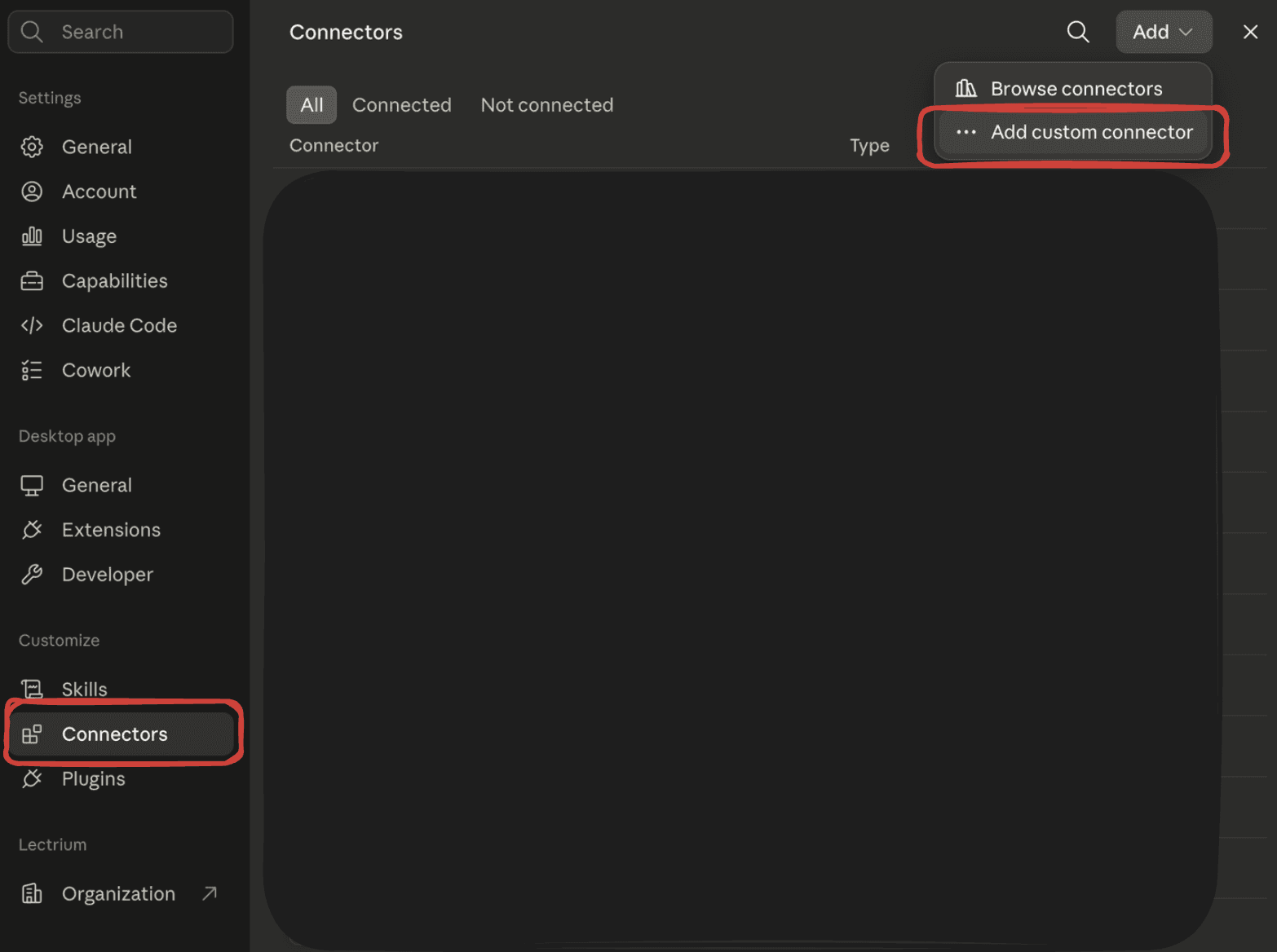
Paste the Lectrium MCP URL
Paste the Lectrium MCP server URL into the connector's URL field:
https://production.api.lectrium.com/mcpGive it a name like Lectrium if prompted, then confirm.
Authenticate
Claude will send you to Lectrium's login page. Sign in with your Lectrium credentials — or choose Create an Account if this is your first time — and approve the connection.
Creating an account? Check your email
New accounts need a quick email confirmation. Lectrium sends a verification link to the address you signed up with — it may arrive from a lectrium.com address or from our authentication provider, Supabase, so check your spam folder if you don't see it. Click the link, then return to Claude to finish connecting.
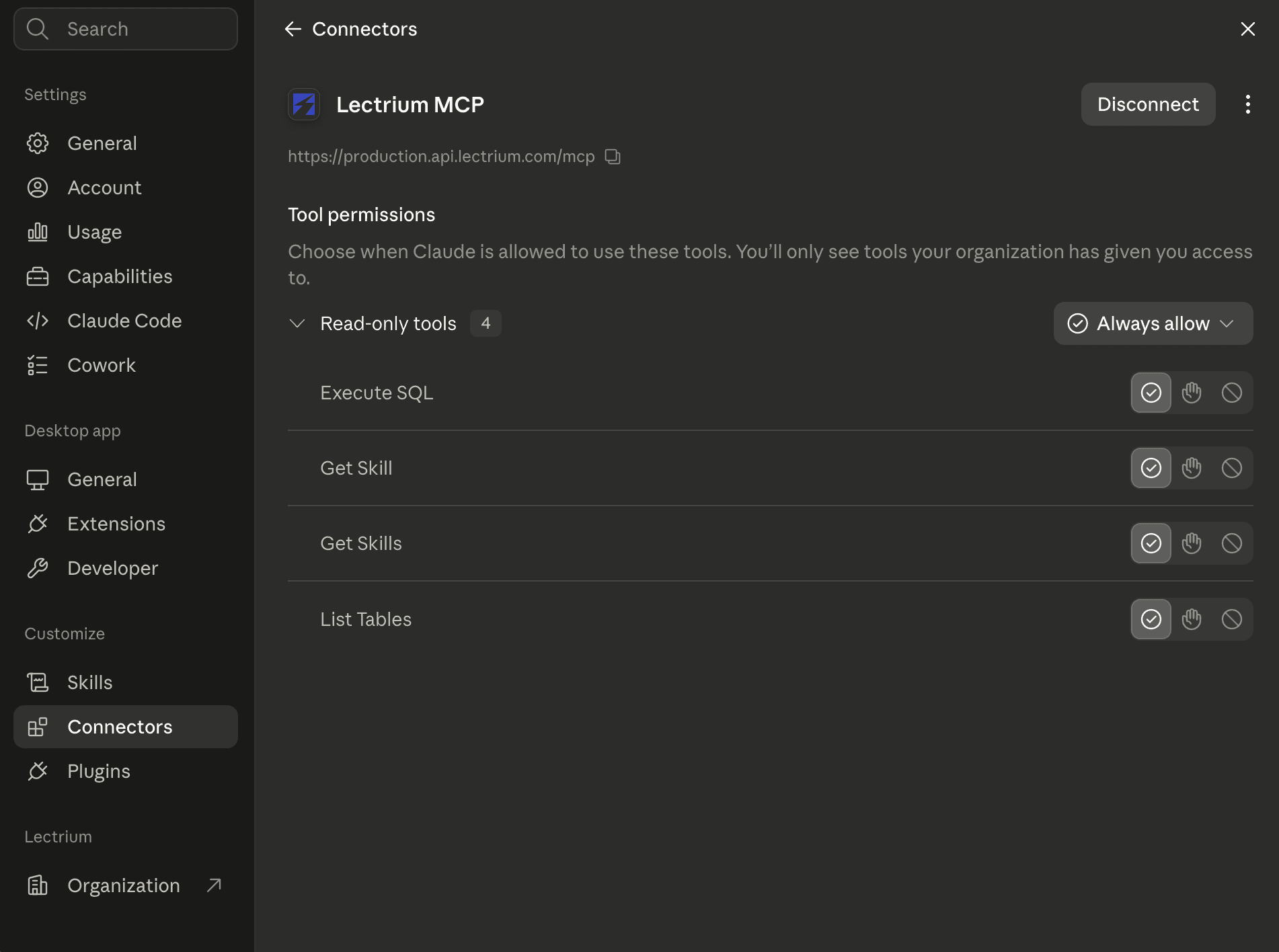
Once you approve, Claude returns to Settings → Connectors. Check that Lectrium MCP is listed and connected — you'll see its read-only tools and a Disconnect button, which confirms the connection is live.
Write your first prompt
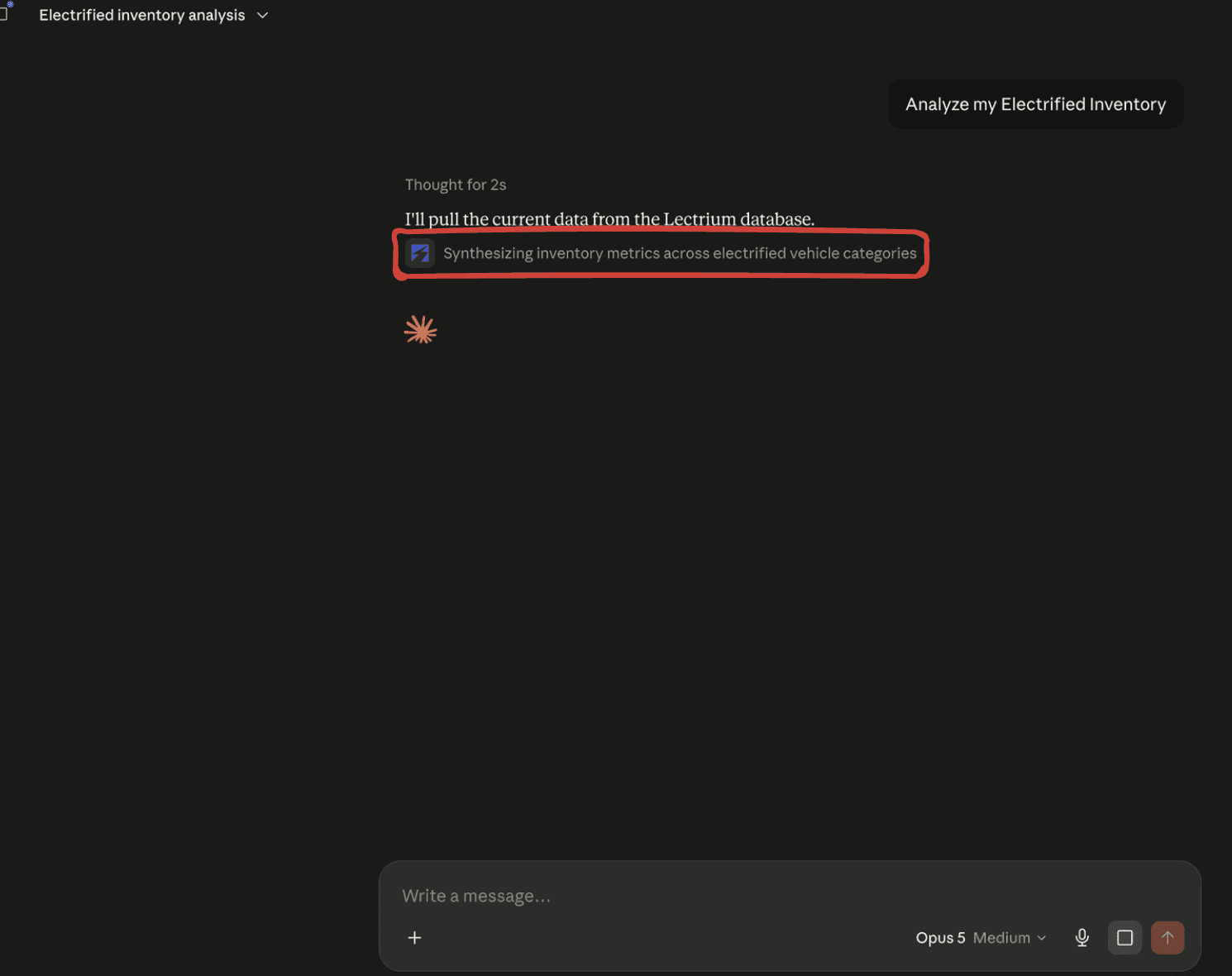
You're connected! Try your first prompt:
Analyze my electrified inventoryClaude uses the Lectrium connector to pull live data from your dealership and answer — you'll see it working with the Lectrium tool as it responds.
What's next
- Explore more things to ask on the Example prompts page.
- Learn what the connection can and can't do on the Security & Privacy page.
- Running into trouble? See Troubleshooting.